Feed providers · SDRTrunk
SDRTrunk: send calls to ScoopMagnet.
About 10 minutes. You add one stream of the type Rdio Scanner, then tell SDRTrunk which of your aliases (talkgroups and channels) to send through it. If you already feed Broadcastify Calls, this is the same routine.
Open the Playlist Editor
In SDRTrunk's main window, click View (top left), then Playlist Editor, the first item.
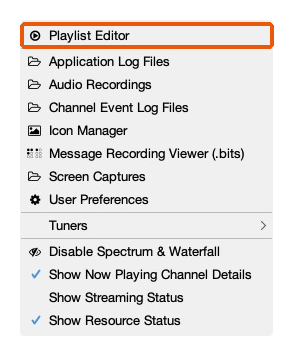
SDRTrunk's View menu: Playlist Editor is the first item Go to the Streaming tab and click New → Rdio Scanner
Across the top of the Playlist Editor are tabs: Playlists, Channels, Aliases, Streaming, Radio Reference. (1) Open Streaming, (2) click New, (3) choose Rdio Scanner.
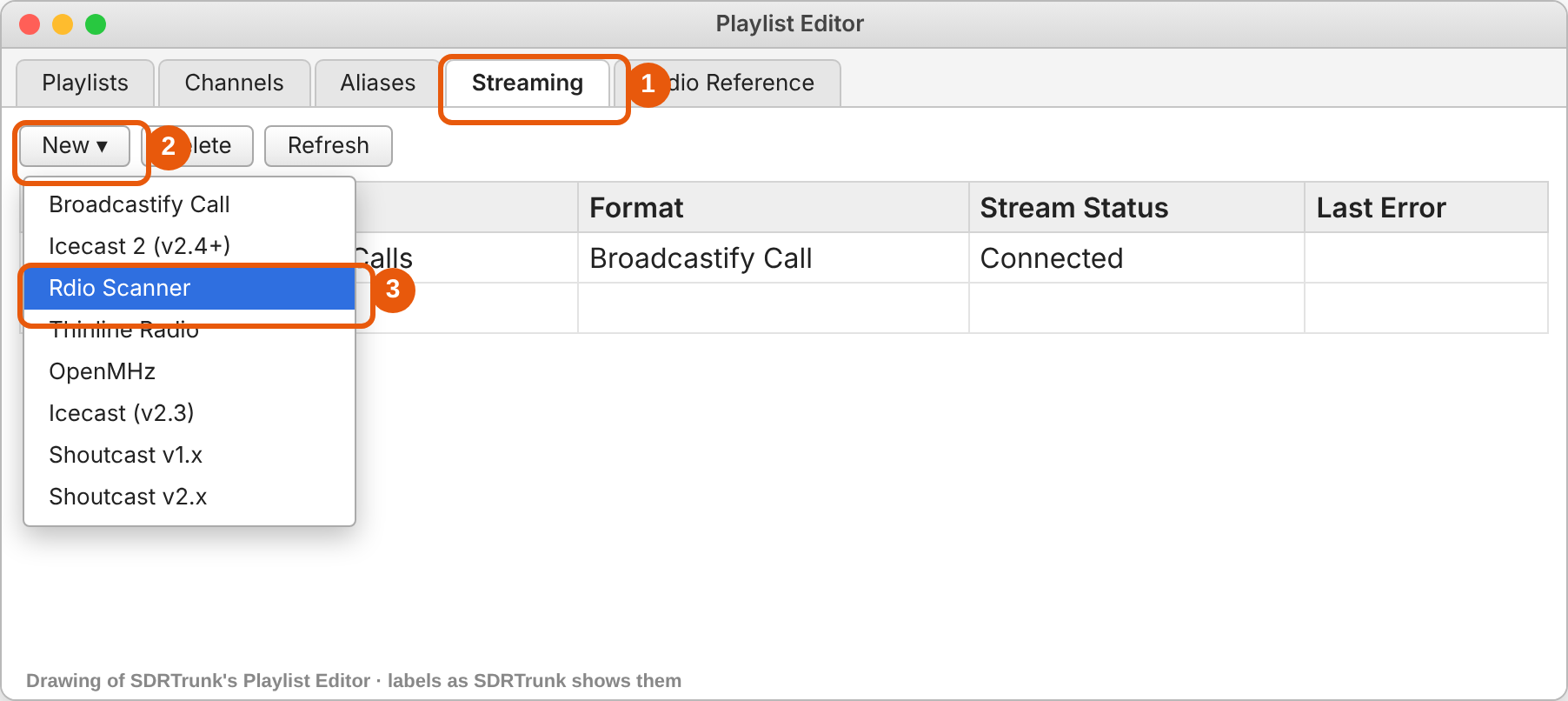
Streaming → New → Rdio Scanner (drawing; the labels match SDRTrunk's) Fill in four boxes and turn it on
On the Configuration tab, fill in exactly this:
SDRTrunk box What to type Name ScoopMagnetAPI Key your key, starting sm_System ID your system ID number RdioScanner URL https://scoopmagnet.com/api/call-uploadMax Recording Age (seconds) leave as is URL:https://scoopmagnet.com/api/call-upload(5) Flip Enabled on, then (6) click Save.
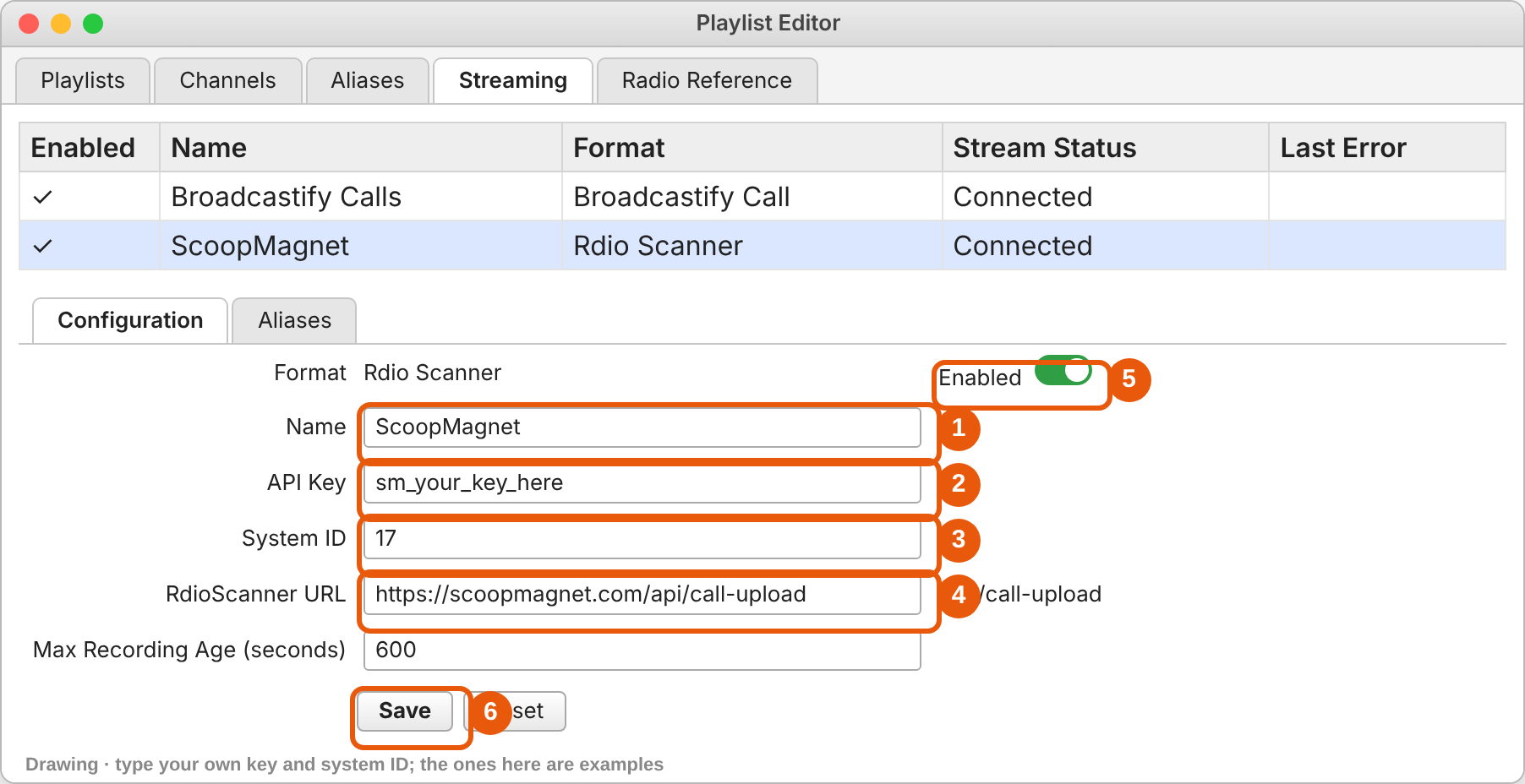
The ScoopMagnet stream, filled in (drawing). The key and system ID shown are examples; use yours. Choose what to send: the Aliases tab
Still on the ScoopMagnet stream, open its Aliases tab. The left list (Available) is every alias in your playlist. Select the police, fire and EMS ones (hold Ctrl or Cmd to pick several, or Ctrl/Cmd+A for all) and click the right-arrow button to move them to Selected.
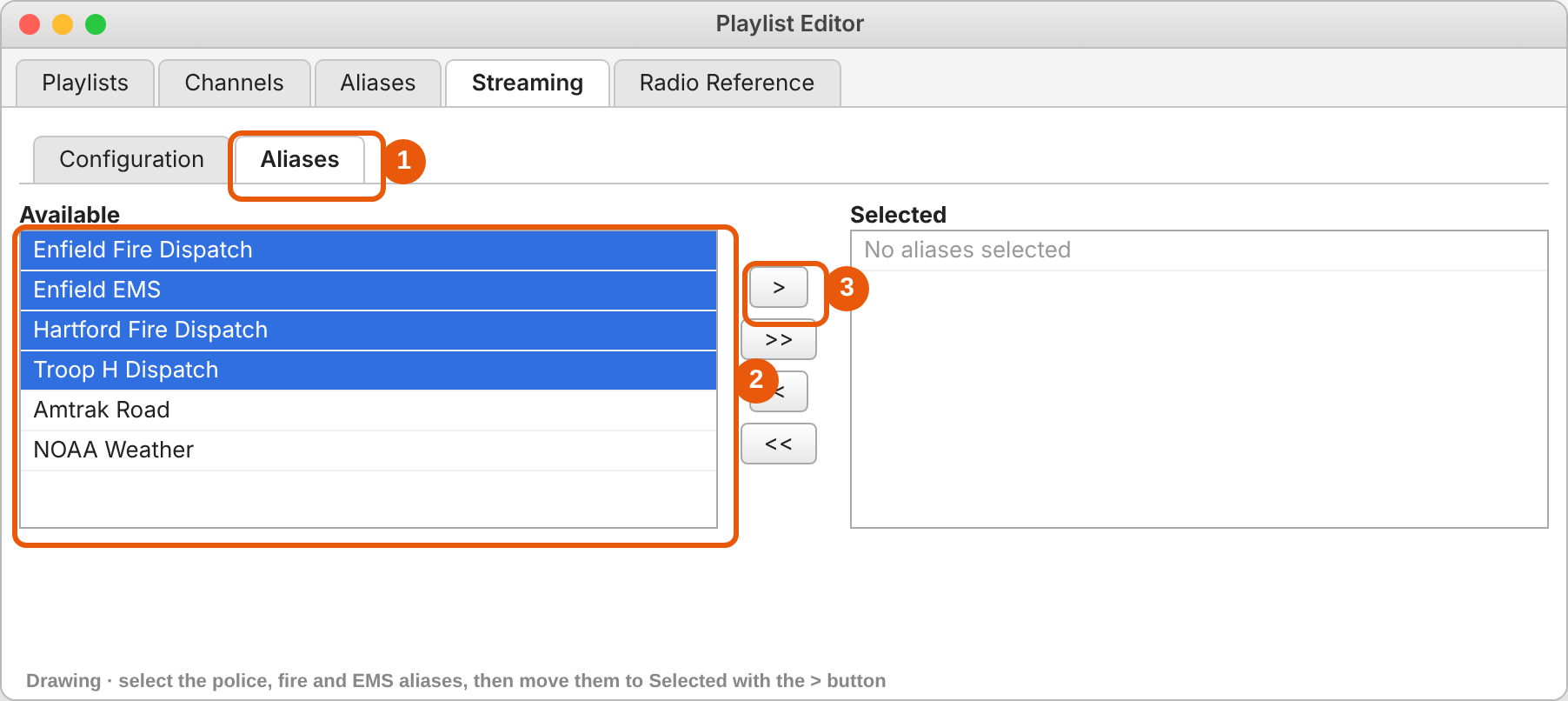
(1) the stream's Aliases tab, (2) select the public-safety aliases, (3) move them to Selected (drawing) SDRTrunk only streams calls whose talkgroup or channel has an alias. If a channel has no alias yet, add one on the Aliases tab of the Playlist Editor first (the same requirement Broadcastify Calls has).Check the stream is connected
Back in the main window, click View, then Show Streaming Status. The ScoopMagnet row should say Connected, and its Streamed/Uploaded count climbs as calls finish.
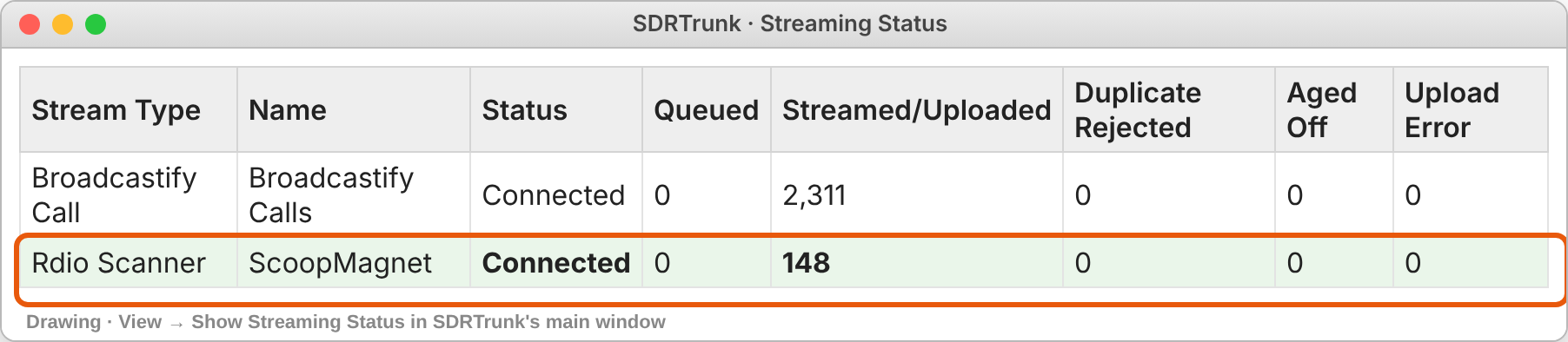
Streaming Status: ScoopMagnet connected, calls uploaded (drawing) Watch them arrive
Open your status page. It shows the last call received and a count by talkgroup, refreshing every 30 seconds.
If something's wrong
| SDRTrunk says | Meaning and fix |
|---|---|
| Invalid API Key / Access Denied | The key has a typo or extra space. Copy it again from your sign-up page or status page. |
| Temporary error, count of errors rising | Your internet dropped or our server was unreachable. SDRTrunk retries on its own; nothing to do unless it lasts more than an hour. |
| Connected, but Streamed stays at 0 | No aliases are selected on the stream's Aliases tab (step 4), or the channels have no aliases. |
| Disconnected | Check Enabled is on and the URL is exactly as above, with https. |
Still stuck? Write to marc@lca.news with a screenshot of the Streaming panel. A person answers.